SiteMap GIS Software
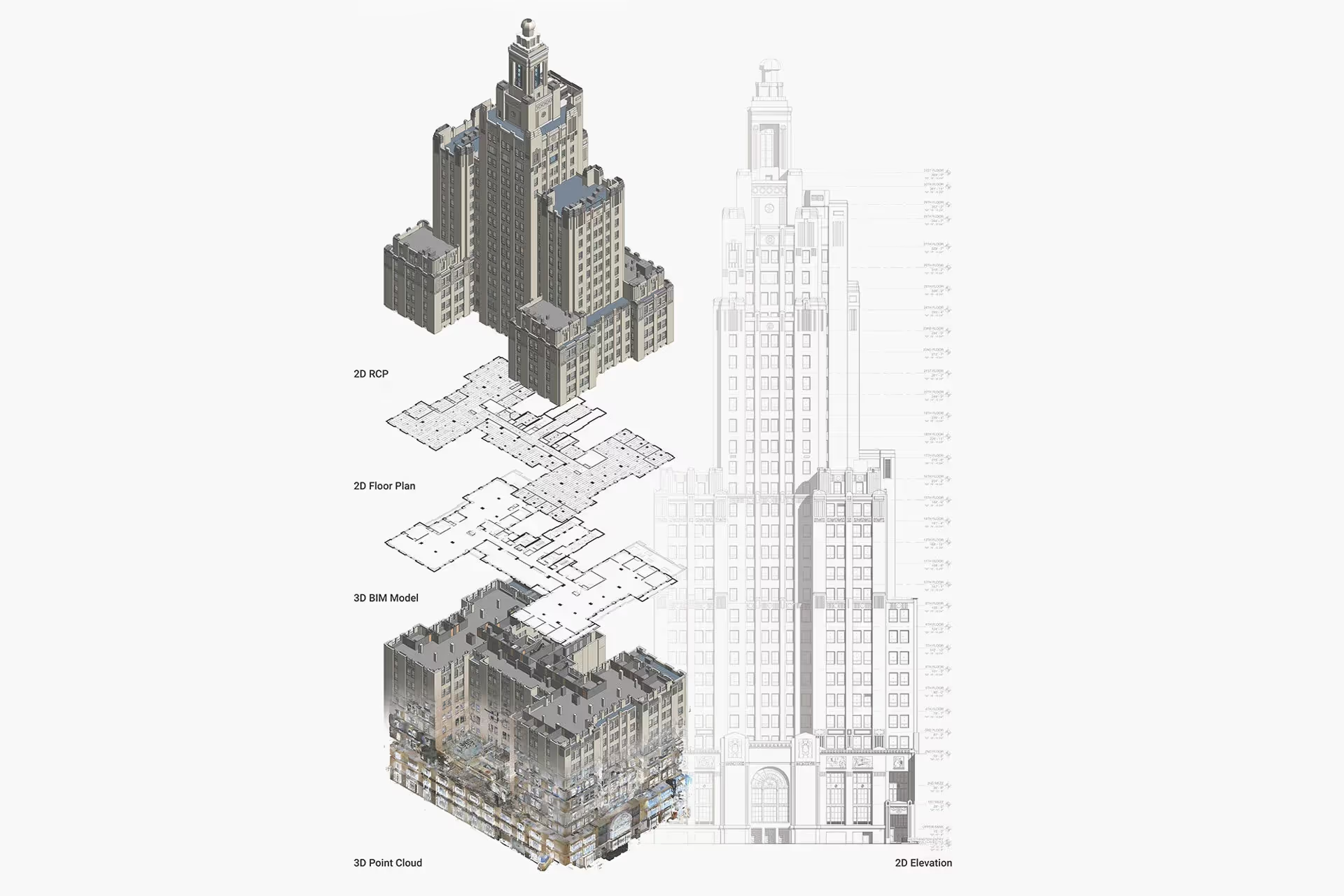
SiteMap® GIS Software brings all your building documentation together in one secure, intuitive platform. Access and share critical building information, including point clouds, CAD drawings, BIM models, 3D photogrammetry, utility maps, and water and sewer system reports.
With SiteMap, your team can:
- Mitigate risks and enhance safety with accurate, organized site records
- Streamline collaboration across design and construction by centralizing documentation
- Minimize project risks, change orders, delays, and costs through proactive planning
- Simplify future renovations, repairs, and upgrades with an accessible digital record
Every Existing Conditions client receives complimentary SiteMap Personal access, so you can start building with confidence.


.webp)
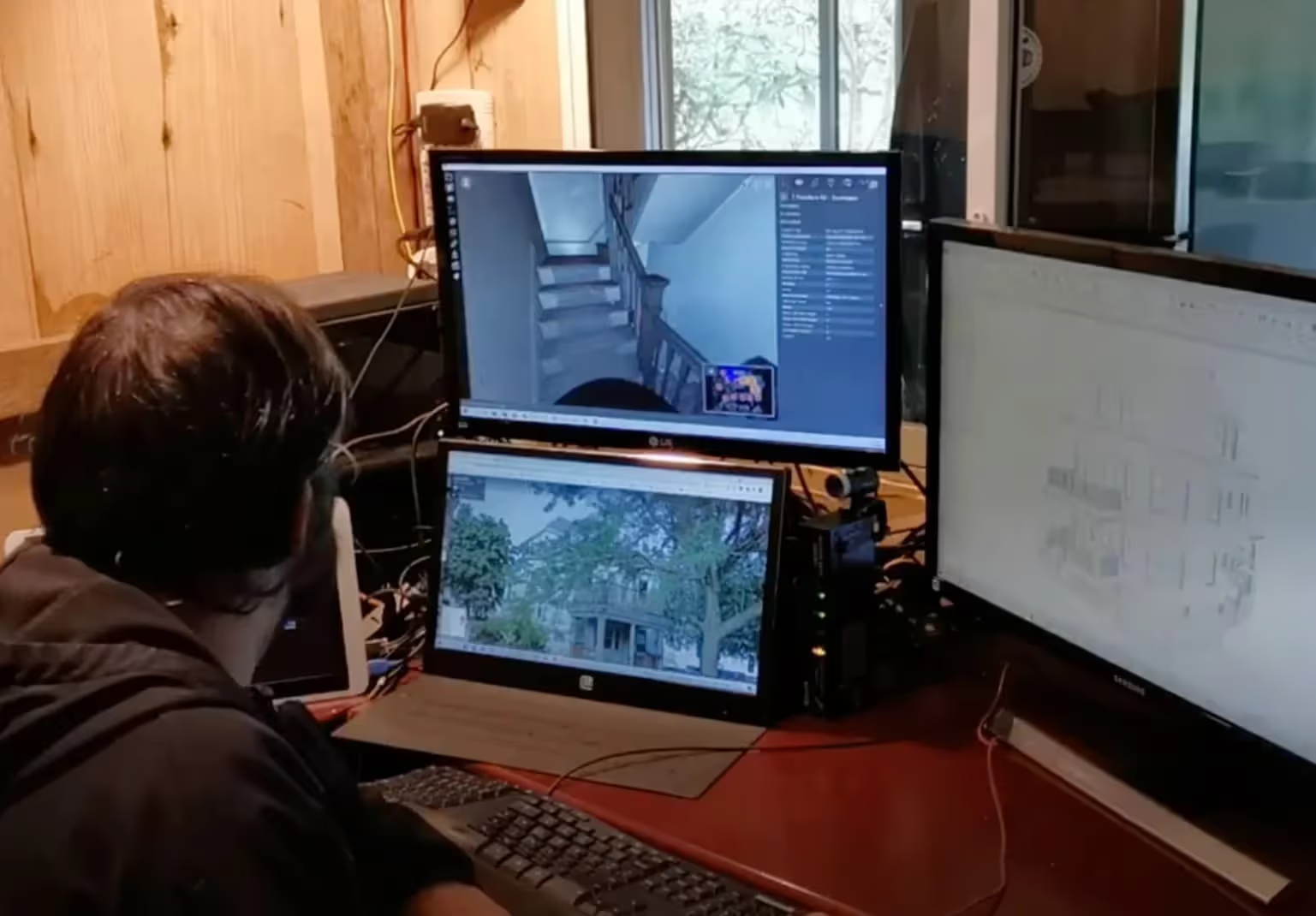
SiteMap Provides Your Team Secure Access to Accurate, Field-Verified As-Builts 24/7

.webp)


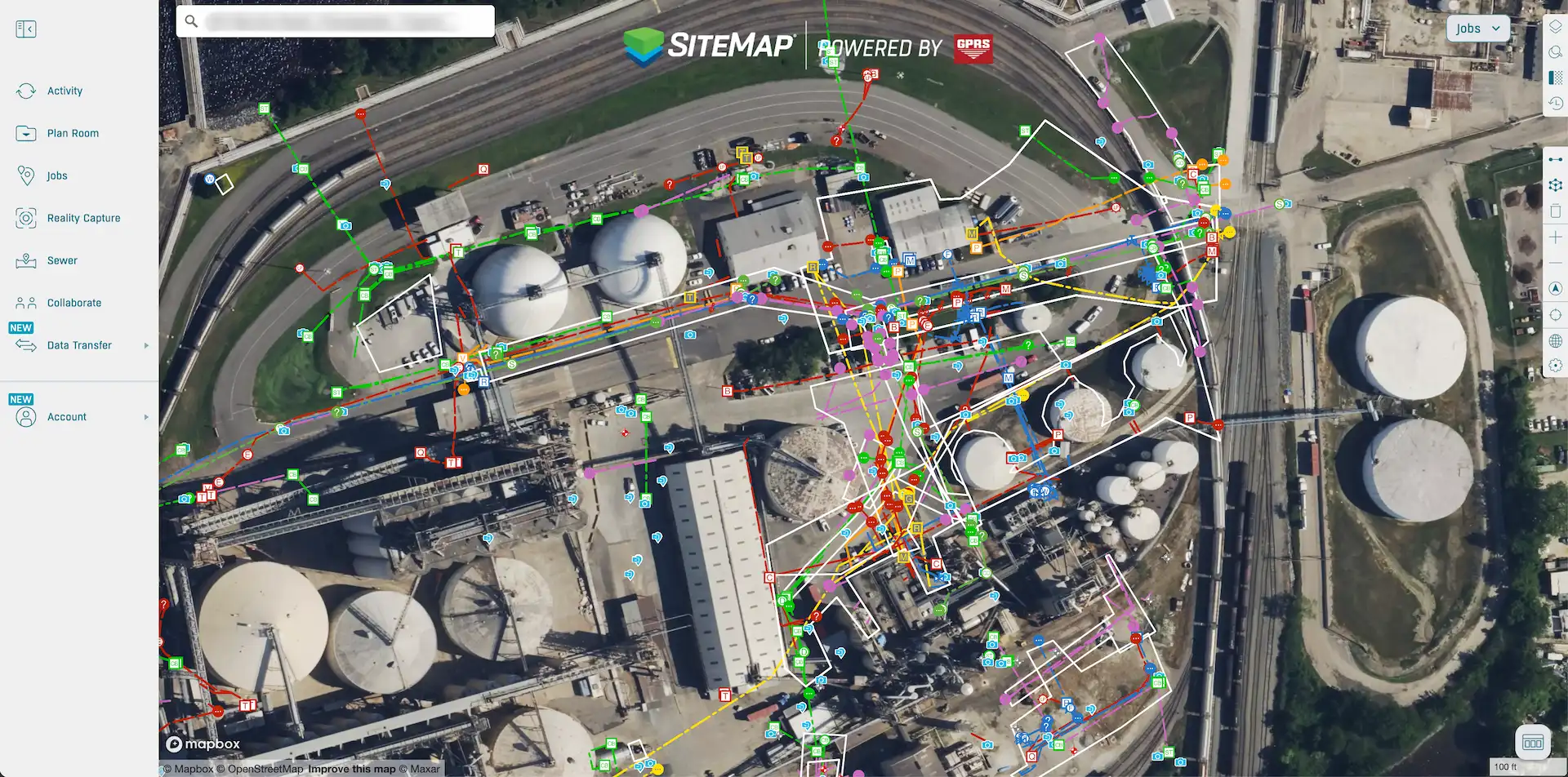
Key Features of SiteMap
SiteMap is a GIS software developed by GPRS that organizes digital as-built files in a centralized platform. Clients can quickly access accurate site records in one secure system, improving decision-making, design, safety, compliance, and project efficiency.
All site data, collected and verified by GPRS’s SIM-certified Project Managers, is uploaded to the platform, including reality capture, utility locating, concrete imaging, sewer inspection, water loss detection, and other critical information.
Clients can remotely access, view, and share project information from any phone, tablet, or laptop. The result: reduced risk, improved safety, and streamlined project planning.
SiteMap GIS Software Organizes:
- Interactive, Layered Utility Maps
- Concrete Scan Data & Field Reports
- Point Clouds
- 2D CAD Drawings
- BOMA Verified Floor Plans & Lease Area Analysis
- 3D BIM/Revit Models & 3D Mesh Models
- 3D Virtual Tours
- NASSCO-Certified Video Pipe Inspection Reports & WinCan Web Video
- Leak Detection Reports
Geographic Information Systems are transforming how we interpret locations, manage data, and make decisions. With SiteMap, you spend less time searching, more time planning, and have complete confidence in every decision you make.
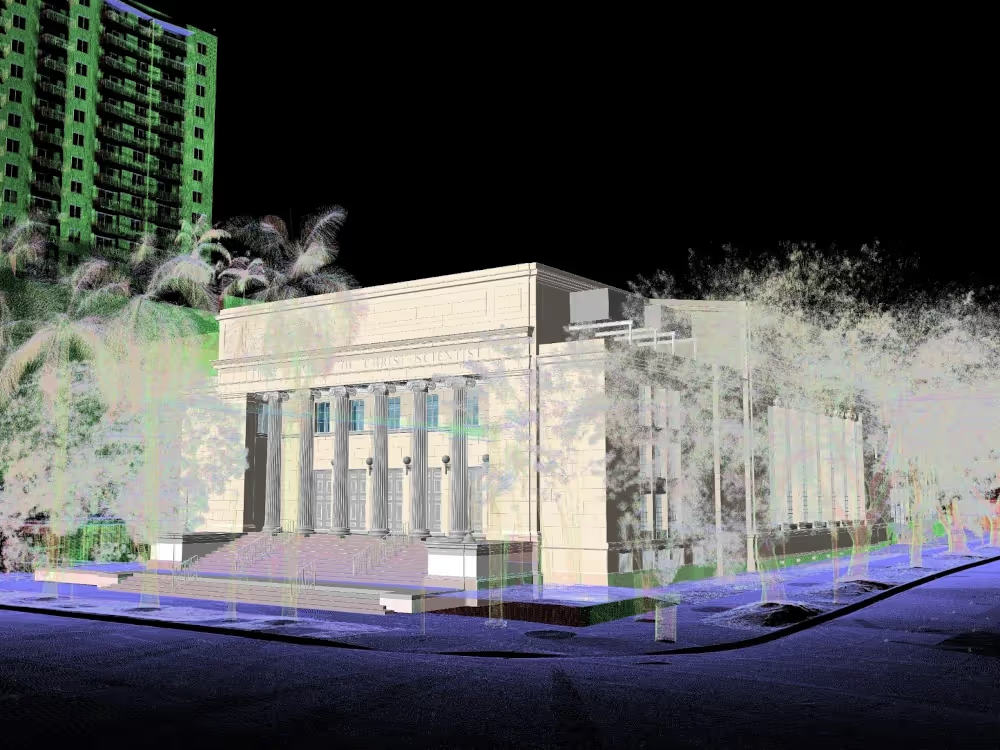

Benefits of SiteMap GIS Software
Reality Capture & 3D Digital Representation
.svg)
Real-Time Collaboration
Accurate Project Planning
Minimize Clashes and Delays
Faster Project Delivery
Support Building Management
Benefits of SiteMap GIS Software
Reality Capture & 3D Digital Representation
Real-Time Collaboration
Accurate Project Planning
Minimize Clashes and Delays
Faster Project Delivery
Your Project’s Single Source of Truth
See Every Detail of Your Project
Gain complete visibility into architectural, structural, and MEP features with quick access to point clouds, CAD files, BIM models, and utility maps, all in one geospatially accurate platform.
Plan and Build with Confidence
Make smarter design and construction decisions using verified as-built data. Accurate drawings, maps, and models reduce risk and keep projects on track.
Eliminate Costly Surprises
Millimeter precise dimensions help you avoid change orders and delays before they impact your schedule or budget.
One Source of Truth for Your Team
SiteMap creates a centralized database where every deliverable is stored securely and geolocated, ensuring your entire team works from the same accurate information.
Enable Collaboration
Deliver the right information to the right person at the right time. Seamless sharing across teams and locations keeps architects, engineers, and contractors aligned.
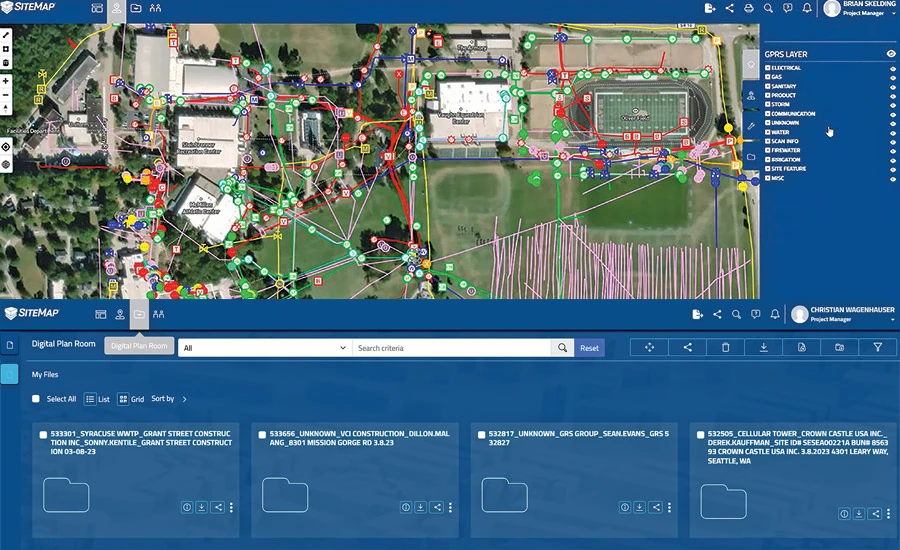
Start Accurate. Stay Accurate.

Trusted Partner

Expert Team

Comprehensive Data Capture

As-Built Drawings & 3D BIM Models
Industries We Serve

Architecture
Informed design starts with verified conditions, accurate spatial data, and coordinated BIM — so you can focus on what you do best: eliminate site uncertainty, speed up timelines, and skip manual measurements.

Construction
Operational efficiency through accurate as-builts, reduced downtime, and smarter asset tracking, paired with ongoing management via digital twins, up-to-date facility data, and fewer costly site visits.

Facilities Management
Boost operational efficiency with accurate as-builts, minimized downtime, and smarter asset planning and support ongoing management with digital twins, up-to-date data, and fewer costly site visits.

Engineering
Quality design through precise as-builts, advanced analysis, and tighter tolerances protect your reputation by delivering accurate BIM models that keep projects on time, on budget, and safe.

Real Estate
Stay on time with accurate documentation, rapid data capture, and efficient coordination - stay on budget by reducing rework, repeat visits, and improving cost and schedule accuracy with trusted data.

Entertainment
Production planning made easy with millimeter-accurate scans, verified as-builts, and precise coordination, enhanced by training and simulation using VR, real-world environments, and laser-accurate spatial data.

Our 3D Laser Scanning Process


.jpg)
Frequently Asked Questions
What is SiteMap?
SiteMap® (patent pending) is a cloud-based application that lets you intelligently visualize your infrastructure. It allows you to seamlessly communicate, collaborate, and consolidate your data to prevent damages, provide accurate existing condition documentation, and aid in facility/project management. SiteMap® is designed to be an easy-to-use geospatial portal, that can contain your accurate and up-to-date architectural, structural, mechanical, and as-built drawings, aggregated historical records, maps, models, subsurface and aboveground locates, notes, specifications, and tags, all in one place.
Is SiteMap GIS Software Free?
Your SiteMap® Personal subscription is complimentary, and allows you to view, download, and share all your GPRS-captured data. For expanded usage that can include aggregated historical record-keeping, additional users, and other features, we offer upgraded subscriptions: SiteMap® Project, Pro, and Team. Each of these subscriptions is tailored to a particular variety of user. To learn more about SiteMap's abilities and subscription levels, contact support@sitemap.com for more information.
How Do I Export Data From SiteMap?
Exporting is simple. From your Digital Plan Room or Map Viewer, you can download files in formats like DWG, PDF, or orthophotos. This lets you take interactive maps and records from SiteMap into CAD, GIS, or other software without disrupting your workflow.
How Secure are My Records in SiteMap?
SiteMap uses a cloud-based setup with controlled access permissions, so your data stays safe and recoverable. All files, maps, and attachments are stored in one central location. This makes collaboration simple and cuts the risk of losing data.
Can SiteMap Scale as My Portfolio Grows?
Yes. SiteMap was created to accommodate scalability. Whether you oversee a single facility or a nationwide portfolio, the platform merges your data into one interactive system. You can keep adding new projects using the same workflow. This lets you expand without changing your process.