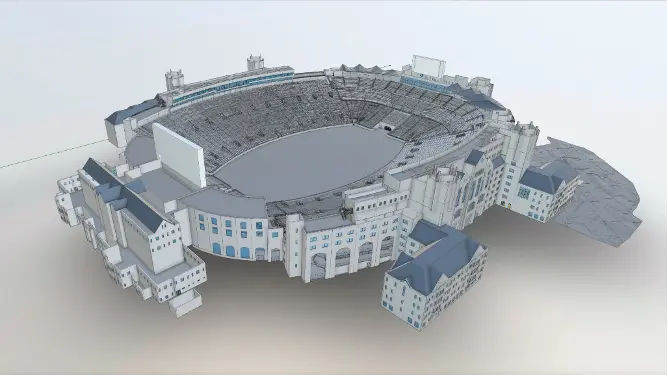
Heritage Building Information Modeling (HBIM) Explained

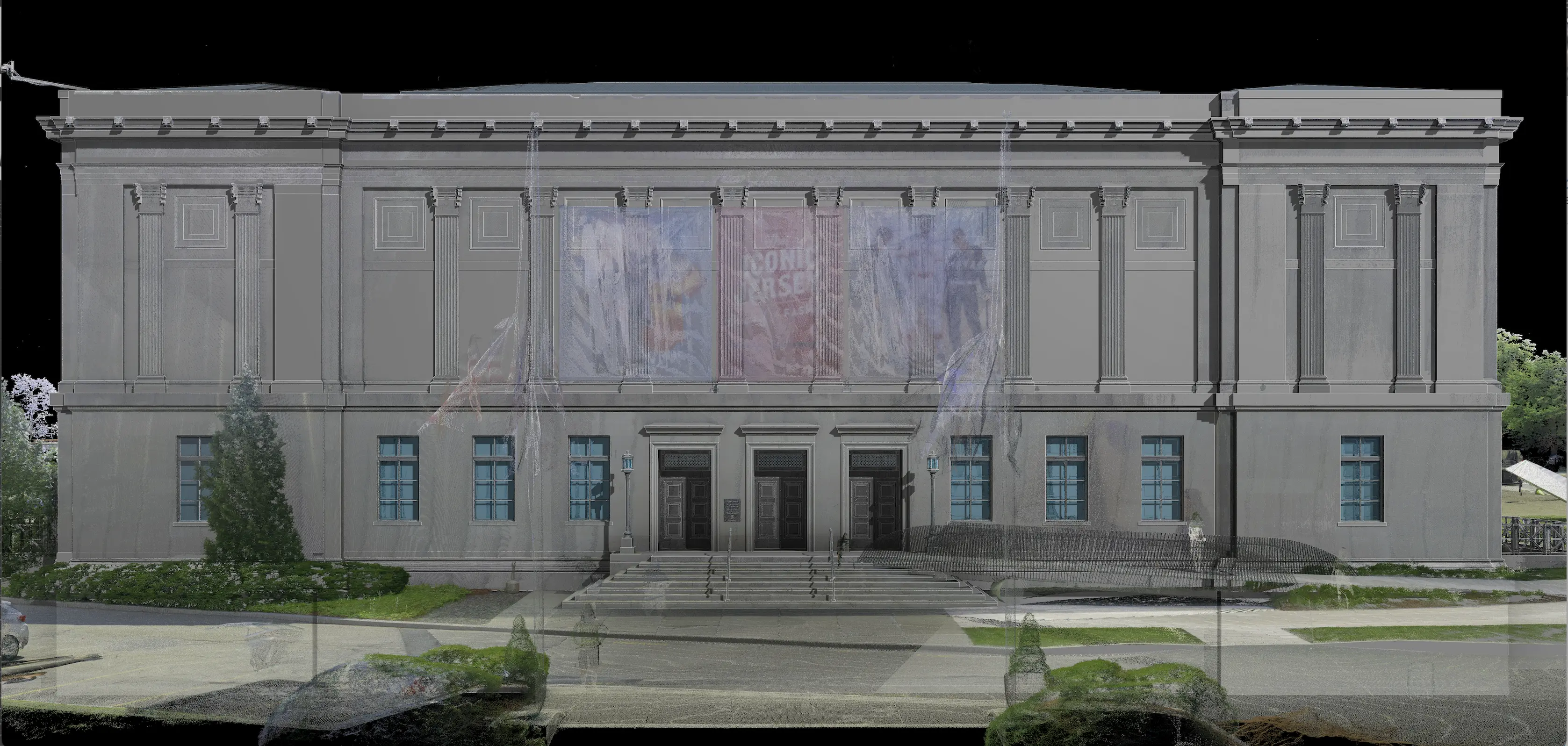
Historic buildings rarely follow neat drawings or straight lines. They bow, lean, twist, and show layers of change that standard documentation often misses. HBIM, Historic or Heritage Building Information Modeling, steps in to solve that gap. It pairs precise reality capture data, such as 3D laser scanning, with BIM standards. The result is an accurate digital record that owners, designers, and conservators can use.
This guide maps out HBIM from origin to execution. It traces how the concept came to life and defines the workflow end-to-end.
We’ll also cover how a professional service provider like Existing Conditions, a GPRS company, provides scan-to-BIM and scan-to-CAD outputs that support historic preservation with accuracy and clarity.
HBIM in One Sentence
According to Springer Nature, “Historical Building Information Modelling (HBIM) is an approach that combines innovative technology with historical preservation to recreate and document historical buildings.”
The Origins of HBIM
HBIM took shape through academic and practice-based research in the late 2000s and early 2010s. Murphy, McGovern, and Pavia framed HBIM as a library that holds parametric objects derived from historic architectural sources. A few of those sources are Vitruvius and Palladio. Project teams align these elements with point clouds gathered from terrestrial laser scanning or photogrammetry.
The aim never centered on pretty models alone. The main goal was to create conservation-grade documentation. This includes sections, schedules, and construction details. These elements show how heritage features were built together.
%20(1).webp)
Current literature reviews note that information requirements and standardization are still maturing. Many case studies report limited operational use.
As ResearchGate summarizes, “Previous case studies have attempted to adapt BIM procedures to HBIM [58], but these have generally been considered failures because BIM was primarily created for construction use.”
It’s important to clearly outline the tolerances and level of detail (LOD) at the beginning of each project.
The Difference Between HBIM vs. BIM
At first glance, HBIM and BIM seem to mirror each other. Both create digital models and manage building data. Yet their goals and workflows have differences.
Traditional BIM grew for modern buildings, where standardization rules the day. Walls are straight, components align with manufacturer specifications, and design data flows neatly from concept to construction. The mission revolves around efficiency, coordination, and cost control for new build projects.
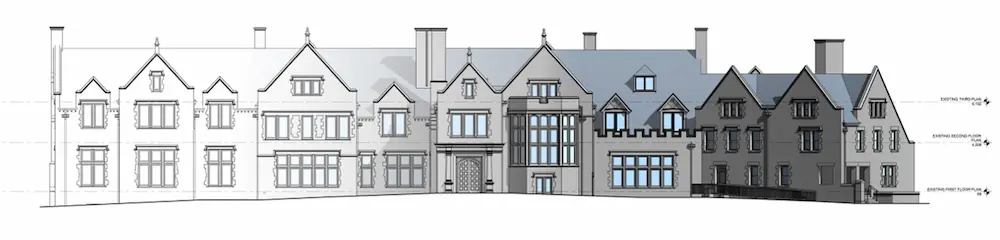
HBIM begins with a high-fidelity record of existing conditions. This uses 3D laser scanning and photogrammetry. It captures the current conditions of what stands today, down to the millimeter. Project teams then rely on custom parametric objects in place of standard BIM libraries. Those objects reflect historic styles. These include Palladian columns, Gothic arches, and vernacular timber frames.
The focus goes beyond design coordination. HBIM supports conservation, research, and lifecycle management. Models hold historical data, material details, and archival references. They serve as a living record for restoration and preservation work, not just a design deliverable.
Why Owners and Project Teams Choose HBIM
HBIM addresses three persistent realities:
- Historic assets evolve across time in ways that legacy drawings rarely capture well.
- Stakeholders need measurable, verifiable data to plan interventions with confidence.
- Inaccurate as-built drawings cause costly rework. With 3D laser scanners, point clouds are delivered with millimeter-level accuracy. That accuracy supports scan-to-BIM models and precise as-built drawings. It also reduces site revisits and cuts change orders.
The U.S. National Park Service (HABS/HAER/HALS) mentions that 3D laser scanning delivers exceptional accuracy. It also saves time, particularly in hard-to-reach areas. The guidelines also stress the value of as-built drawings as a foundation for long-term permanence.
Historic England highlights collaboration, asset management, and lifecycle information as key benefits. BIM ultimately minimizes project risk and boosts efficiency.
Heritage work also gains CAPEX and OPEX advantages like new-build BIM efforts. Academic research confirms that historic BIM helps project teams investigate and understand old structures more accurately. Project teams can plan better, face fewer surprises, and shape conservation strategies with evidence rather than assumptions.
What Are the HBIM Use Cases?
HBIM goes beyond digital modeling. It functions as a strategic solution for heritage challenges.
Digital Records of Cultural Heritage
Many historic buildings lack accurate documentation. Restoration without verified data invites risk and unnecessary expense. HBIM solves this with highly accurate geometry and structured metadata. Architects and conservators plan interventions with confidence. They protect fragile materials and meet preservation standards.
Decision Support and Resource Management
HBIM models store information about materials, conditions, and maintenance history. That turns them into dynamic databases for lifecycle management. Facility managers can schedule preventive maintenance, track deterioration, and maximize budgets.
Research, education, and Public Engagement
Scholars and heritage organizations conduct analysis and build virtual reconstructions. They also open access to complex sites for broader audiences. Immersive tours and educational content link communities to heritage in fresh ways. The core data also meets the needs of owners, conservators, and communities for years to come.
What is the HBIM Workflow?
A robust HBIM workflow forms a repeatable path from field data to final outputs that teams can trust.
1. Plan Your Scope of Work
Define exactly which information the owner, designer, fabricator, and facilities team will use. This aligns with the following ISO 19650 principles:
- Exchange Information Requirements (EIR)
- Asset Information Requirements (AIR)
It assigns roles and responsibilities. A Common Data Environment (CDE) also directs the flow of models and documents throughout the project.
2. Reality Capture
For heritage assets, Existing Conditions Project Managers typically use:
- LiDAR-based scanners
- Tripod-mounted or mobile SLAM LiDAR
- Photogrammetry-based scanners

3. Registration and Point Cloud Processing
The Existing Conditions’ Mapping & Modeling Team registers scans into a unified coordinate system. They also remove noise to stabilize the dataset. LiDAR 3D laser scanners capture millions of points every second. These points create dense clouds. Teams can then navigate, measure, and section these clouds with precision. Autodesk ReCap and similar software can prepare point clouds for Revit and other BIM platforms. This helps modelers continue their work without delays.
4. HBIM Model Development
The point cloud converts into a parametric or hybrid BIMmodel that reflects true site conditions. You’ll create custom families forarches, vaults, cornices, and other decorative elements. This is a need because historic buildings seldom match standard BIM libraries.
5. Information Management and Delivery
Package the data under ISO 19650 with clear statuses in the CDE. This includes work in progress, shared, published, and archived. Historic England provides templates and methods that help heritage owners use BIM in a consistent manner. This guidance supports the creation of an Asset Information Model (AIM) for long‑term conservation and ongoing stewardship.
You can learn even more about HBIM by reading the full article, here.

FAQs
What is a 3D BIM Model?
.svg)
A building information model (BIM) is a digital representation of the physical and functional characteristics of a building or infrastructure project. BIM stores all the information about a building's life cycle in one place, including design, construction, and operational data, which can be used for planning, renovation, and maintenance. It provides accurate spatial relationships and manufacturer details, as well as geographic information and other pertinent aspects of the building.
What is Scan-to-BIM Used For?
Scan-to-BIM is a process that uses 3D laser scanning to create a building information model of a building or site. BIM models provide a comprehensive view of a building that can be used throughout its lifecycle – during the design phase, construction phase, and operation phase of the building. The BIM model can be used during the design and planning stages of a project from design changes to material selection, and cost estimation. During the construction phase, the model can be used to coordinate and manage different trades and ensure the building is constructed according to the design intent. During the operation phase, the model can be used to manage maintenance and repairs, track the performance of the building, and plan for future improvements.
Related Articles